3min read
How to spot a business that has already closed
A closed business does not vanish from the map and still looks live on your list. Four signals you can gather at a distance, and why none of them stands alone.


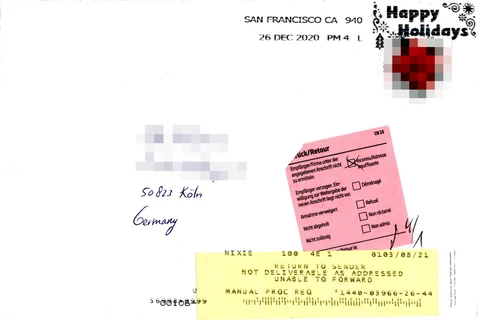
When a business closes it does not disappear from the map. The record stays put, the address and the phone number are still there, and on your list it looks no different from any other row. The first thing that points at a closure is usually a message that never gets answered, and by then you have already spent a send.
Why closures show up late
In open map data a record sits where it is until somebody goes and corrects it. When a new business opens, somebody has a reason to add it, and when one shuts, nobody has that same reason to delete it. The record stays.
The consequence: openings land in the data quickly and closures land slowly. That asymmetry skews a list in one direction over time, and most of what people call a freshness problem comes from it.
Four signals you can gather at a distance
None of them counts as proof on its own. When two arrive together, the record gets set aside.
The domain does not answer. If the site is fully down or the domain has gone up for sale, that is a strong signal. Merely being slow is not one; small business sites are slow anyway.
The phone number is out of service. Numbers returning that result in an automated check go straight onto the priority list, because a disconnected number points at a closed record almost every time. Busy says nothing.
Social accounts have gone quiet. A last post older than a year means something if the business type posts regularly. For an accountancy office it means nothing.
The map photo is old. If the signage in street imagery does not match the name on the record, some other business is in that unit now. Do not use this signal without checking the date on the image.
Order the verification by cost
Signals are free and verification is not. The order runs: automated checks first, then human eyes, and contact last.
Domain and phone checks run in bulk for nothing. Looking at a map photo costs about half a minute per record, so it only happens for the ones the first two checks flagged. Calling is the most expensive.
Invert that order and the cost goes up tenfold while the result stays the same.
Flag the suspect rather than deleting it
Deleting a record that looks closed is easy and irreversible. Keep a status field instead: active, suspect, closed.
Suspect records stay out of the sending list, stay in the data, and can be reassessed three months later. That matters, because a seasonal business shuttered for the winter and a shop that has genuinely closed look identical from a distance.
Making the list correct itself
Every sending round is also a data collection round. Bounced emails, disconnected numbers, replies saying the business has closed: all of them are signals that update a record’s status.
Unless you write them back into the list, you will write to the same closed business again three months from now. Set aside ten minutes at the end of a round and process the statuses. That is where a list’s freshness is actually kept.
Related posts

Mapping the fields when a list moves into a CRM
A single CSV import can destroy months of collected context beyond recovery. Five fields that need a decision before the list is moved anywhere.

How complete is OpenStreetMap coverage for a district
Without knowing how many businesses the map is missing, the size of a list means nothing. Estimating coverage by sampling, and where the gaps are systematic.
Checking whether a phone number and website still work
Verifying a list before writing to it looks like wasted time. What can be checked automatically, what cannot, and what each failure says about the business.